本文主要记录drupal8本地环境构建以及发布本地代码到acquia的过程。
drupal8本地环境构建
- Local server with Acquia Dev Desktop
- Getting started with Acquia Dev Desktop
- Working with your sites
- Using PhpStorm with Acquia Dev Desktop
Configuring PHPStorm(本地xdebug)
使用acquia dev在各个版本切换时,需要在对应版本下都设定zend_extension
1zend_extension="C:\Program Files (x86)\DevDesktop\php7_0\ext\php_xdebug-2.5.4-7.0-vc14.dll"xdebug版本的选择
是否是64位,不是看windows是否是64位,而是看apache是64位还是32位。
- phpstorm正版注册
提交本地代码到acquia
在acquia注册并完成drupal环境安装后,代码被提交到acquia git库,所以本地需要配置ssh访问acquia git库。
具体步骤如下:
- acquia云用户免费注册
- drupal环境安装
- Generating an SSH public key
- 在Acquia user profile中添加SSH public key
- 在Acquia Application Information中找到acquia git库
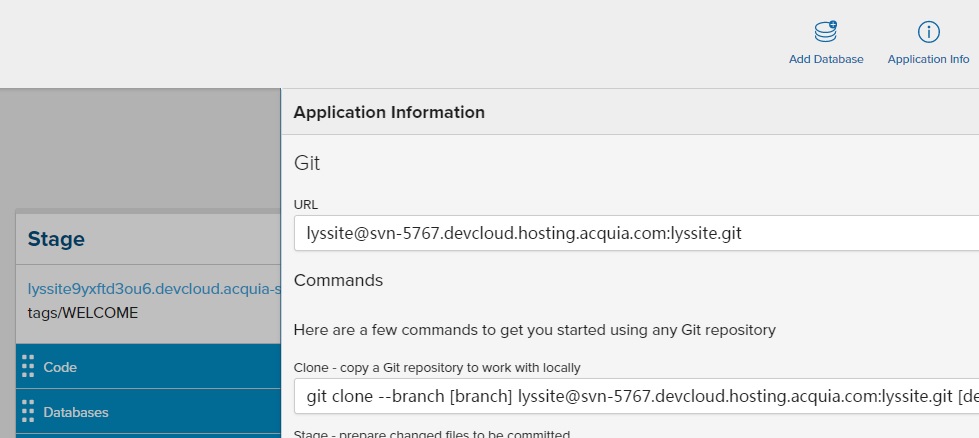
- 测试访问acquia git库1ssh lyssite@svn-5767.devcloud.hosting.acquia.com:lyssite.git