superfish用来快速构建drop-down-menus,drop-left-menus。
模块介绍
略
Installation
- Download the Superfish library 2.x and extract it somewhere like /sites/all/libraries/superfish (so that the superfish.js will be located at http://example.com/sites/all/libraries/superfish/superfish.js)
- Download and extract the Superfish module in /modules.
- enable the Superfish module.
Usage
创建Main navigation树形菜单
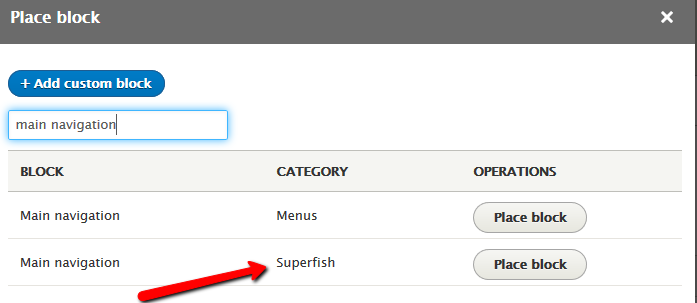
12345678Parent Menu 1|_ Child Menu 1Parent Menu 2|_ Child Menu 1|_ Child Menu 2|_ Sub Child Menu 1|_ Sub Child Menu 2Parent Menu 3通过Block Layout添加superfish块到header
怎样修改样式
- In the block configuration page, set the Style to None
- Copy one of the Superfish sample styles, for example default.css from sites/all/libraries/superfish/style to your theme;
- Rename the selectors .sf-style-default to .sf-style-none or remove them altogether.
- 主题中引用default.css
Some design tips
Set the Mouse delay of the block settings to 99999999 so the sub-menus will stay open for a longer time giving you more time to work with them in Firebug etc.
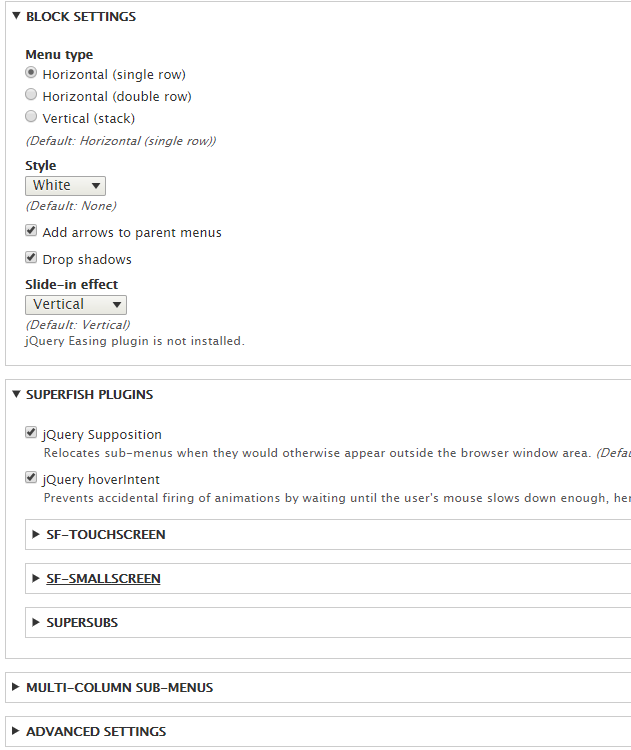
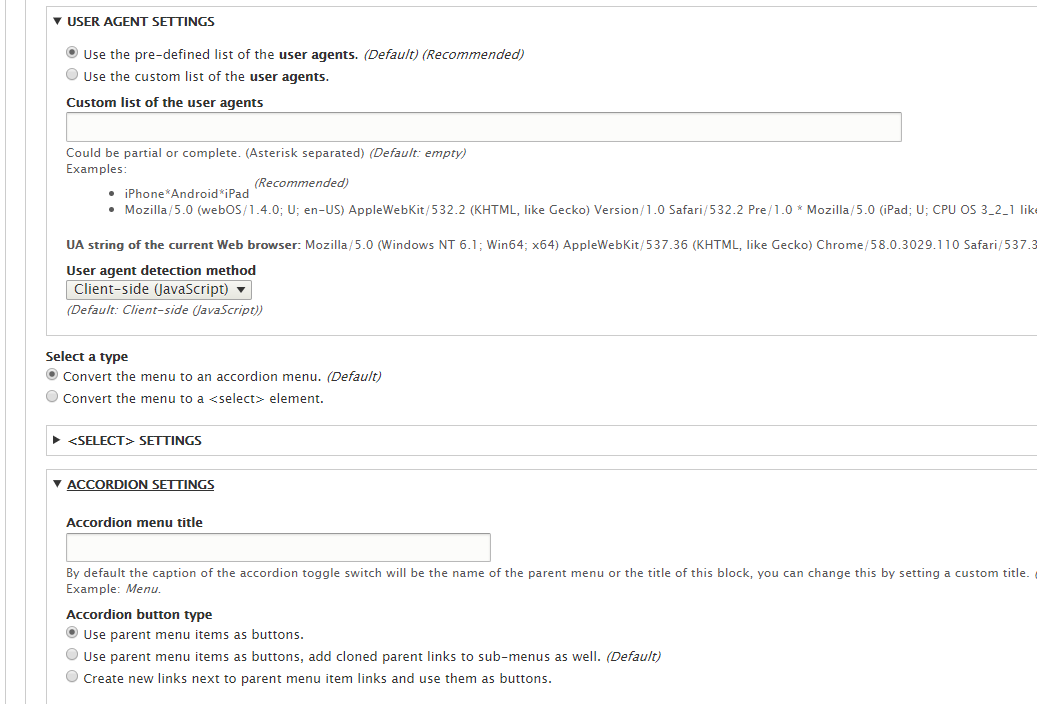
配置
通过配置项可以修改小屏幕表示效果等。