dots slideshow

利用views slideshow模块实现dots slideshow效果。
点击图片迁移到本站其它页面。

本文以实现如下效果为目标

1.png

安装views slideshow

views_slideshow

配置views slideshow

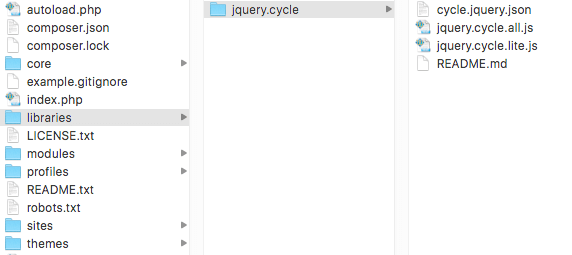
  1. Download cycle
  2. 将1解压后放到站点跟目录2.png

创建views

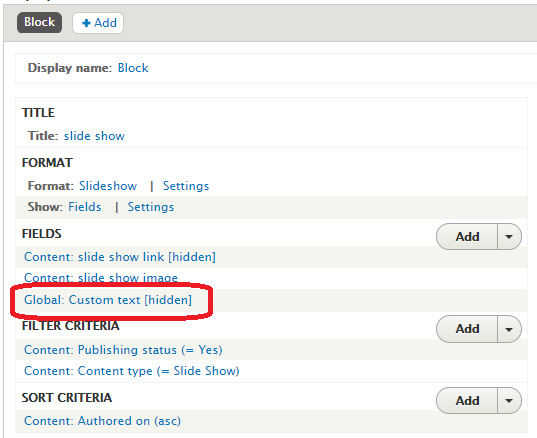
  1. 添加image字段和custom text字段
    点击custom text设置为非显示,Text内容为”1”5.png
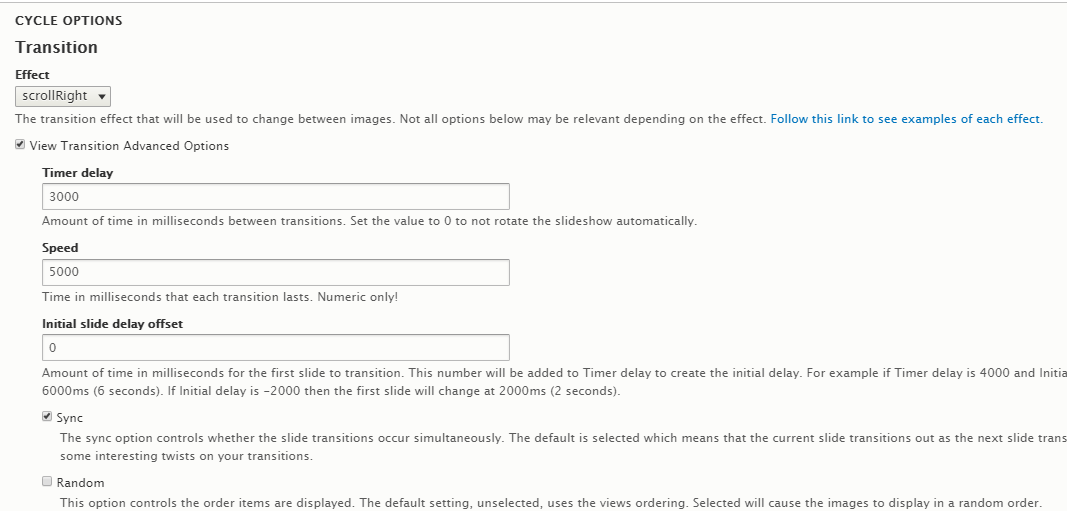
  2. 点击Fommat -> Settings,设置cycle效果3.png
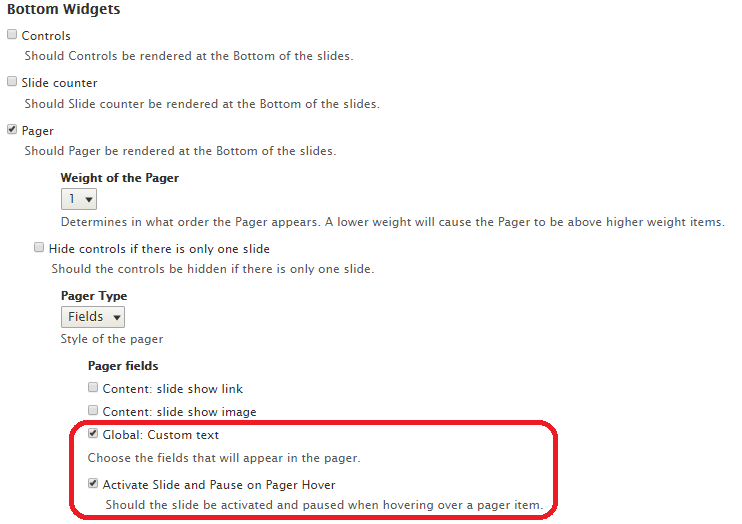
  3. 点击Fommat -> Settings,设置Pager效果4.png

自定义dots样式

创建views后,views_slideshow模块生成的dom结构如下:
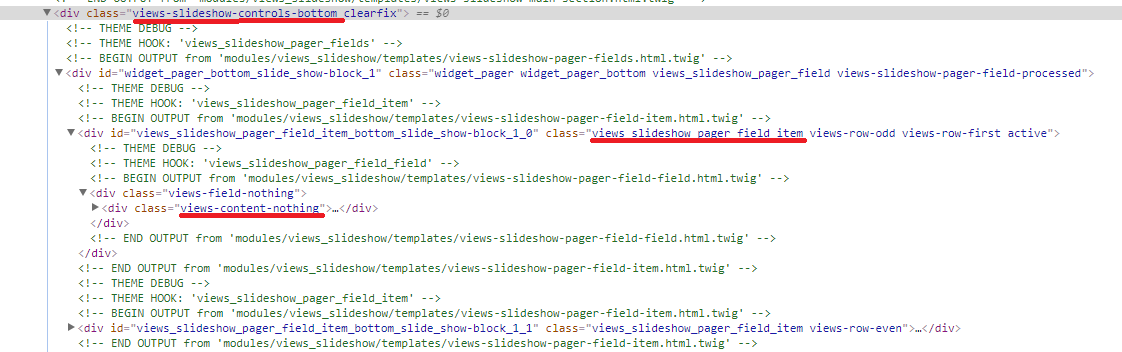
6.png
根据dom结构修改dots样式

1
2
3
4
5
6
7
8
9
10
11
12
13
14
15
16
17
18
19
20
21
22
23
24
25
26
27
28
29
30
31
32
33
34
35
36
37
38
/* dots view slideshow */
.views-slideshow-controls-bottom {
/* 控制dots位置 */
position: absolute;
bottom: 30px;
/* 在图片上层显示dots层 */
z-index: 100;
/* 控制dots居中 */
width: 100%;
text-align: center;
}
.views_slideshow_pager_field_item {
/* 三个dots在一行显示 */
display: inline-block;
width: 12px;
height: 12px;
border-radius: 50px;
margin: 0 5px;
}
.active {
background-color: #fff;
opacity: .75;
}
.views-content-nothing {
display: block;
border-radius: 50px;
height: 12px;
width: 12px;
padding: 5px;
background-color: #fff;
border: 1px solid #fff;
cursor: pointer;
/* 隐藏内容 */
font-size: 0;
line-height: 0;
}